This guide compares leading LMS platforms based on published pricing, documented feature sets, and publicly available user reviews. We do not accept payment for placement. Where pricing is not publicly listed, we note the typical range based on vendor disclosures and third-party review sites. All pricing was verified in March 2026.
Why picking the wrong LMS costs more than you think
Organizations that choose the wrong learning management system see course completion rates below 30%, struggle to demonstrate training ROI, and often restart their vendor search within 18 months. That cycle of implementation, frustration, and migration burns budget and erodes stakeholder trust.
The core problem is that "LMS" describes a broad category. A platform built for corporate compliance training solves different problems than one designed for university instruction or independent course sales. Comparing them on a single feature checklist misses the point. The first decision is not which LMS to buy — it is which category of LMS you actually need.
This guide organizes the market into four practical categories, walks through the platforms that lead each one, and gives you a framework for narrowing your shortlist before you ever talk to a sales rep.
The four categories of LMS (and why they matter)
Before diving into individual platforms, understand that the LMS market splits into distinct segments. Choosing from the wrong segment is the most expensive mistake you can make.
Enterprise training platforms (Docebo, Absorb LMS, 360Learning) are built for organizations with hundreds or thousands of employees. They emphasize compliance tracking, multi-tenant architecture, AI-driven content recommendations, and deep HRIS integrations. Pricing is typically per-user-per-month on annual contracts.
Academic LMS platforms (Canvas by Instructure, Moodle) serve universities, K-12 schools, and academic programs. They prioritize grading workflows, student collaboration tools, and LTI integrations with academic tools. Canvas is cloud-hosted with institutional pricing; Moodle is open source and self-hosted.
SMB and mid-market LMS platforms (TalentLMS) target small-to-midsize businesses that need to get training running quickly without a dedicated L&D team. They focus on ease of setup, clean interfaces, and transparent pricing tiers.
Course creator platforms (Thinkific, Teachable) serve independent instructors and small businesses selling courses directly to consumers. They handle payments, storefronts, and marketing — features that enterprise LMS platforms usually lack.
If you are trying to choose between platforms like Coursera or Udemy for individual learning rather than running your own training program, see our Coursera vs Udemy comparison or online course buying guide instead.
Enterprise training platforms
Docebo: AI-powered learning for large organizations
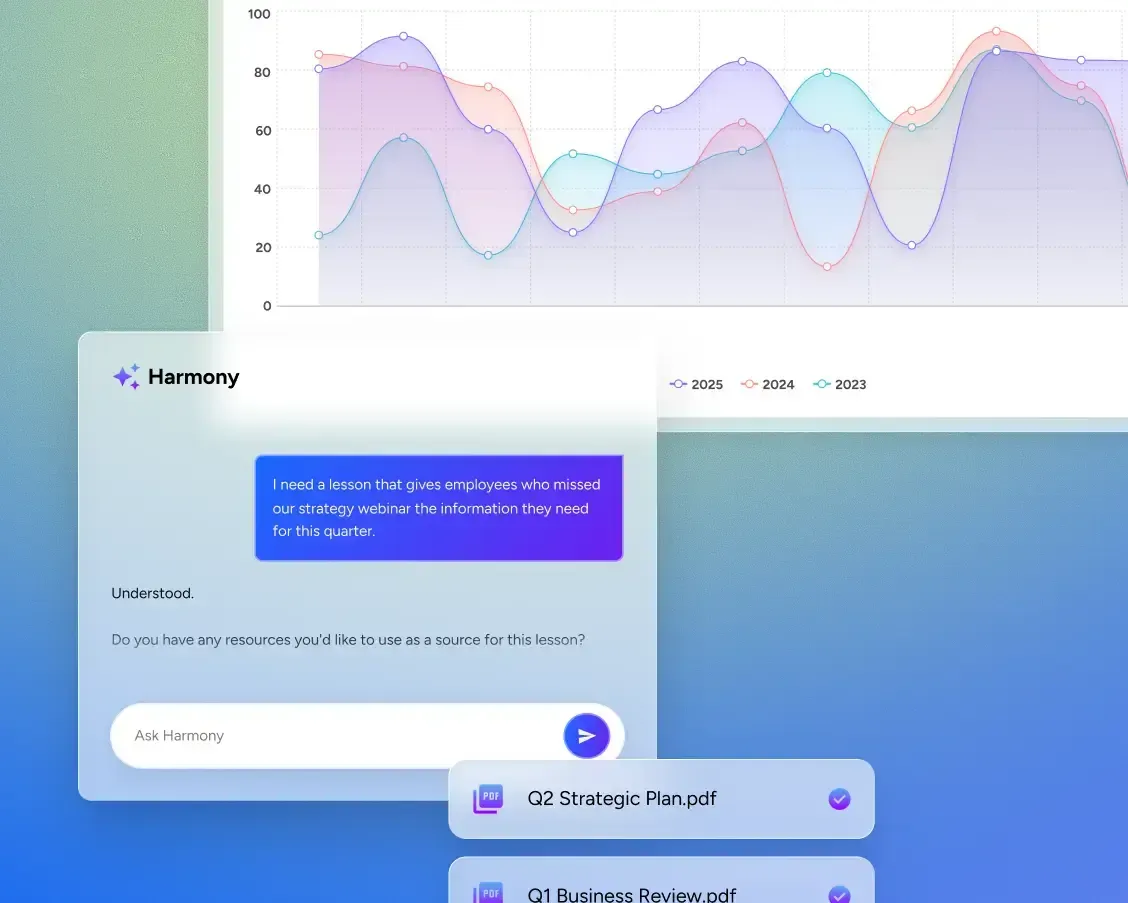
Docebo has positioned itself as the AI-first enterprise LMS. Its platform uses machine learning to recommend content, auto-tag courses, and surface skill gaps across large workforces. For organizations with 500+ employees running onboarding, compliance, and partner training from a single platform, Docebo is a strong contender.
Key strengths:
- AI-driven content recommendations that adapt to individual learner behavior
- Built-in content marketplace with 20,000+ off-the-shelf courses from publishers like Skillsoft and LinkedIn Learning
- Multi-audience architecture supporting employees, partners, and customers from one instance
- Advanced compliance automation with certification tracking and audit trails
- 400+ integrations including Salesforce, Workday, and Microsoft Teams
Pricing: Docebo offers two tiers — Elevate and Enterprise — priced per employee per month. Typical PEPM ranges from $7 to $10, though exact pricing requires a custom quote. Minimum contract values tend to start in the mid-five figures annually for mid-market deployments.
Best for: Organizations with 500+ learners running multi-audience training programs (employees, customers, partners) who want AI-powered content discovery and enterprise-grade compliance tools.
Skip if: You have fewer than 200 learners, need published pricing for budget approval, or want to avoid long-term contract commitments.
Absorb LMS: compliance-first with clean UX
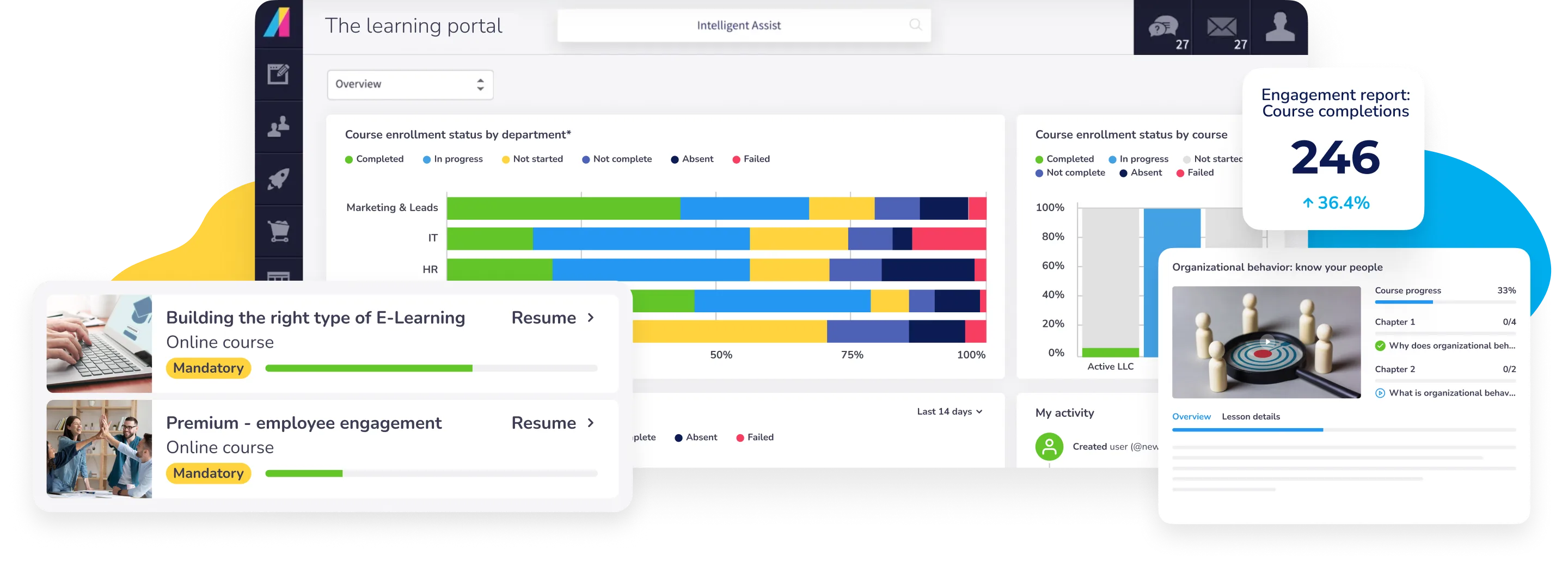
Absorb LMS combines enterprise compliance capabilities with a notably clean, modern interface — a combination that is rarer than it should be in this market. Its Intelligent Assist feature lets administrators ask natural-language questions like "How many learners haven't completed safety training?" and get instant reports.
Key strengths:
- Intelligent Assist AI for natural-language reporting queries
- Strong compliance and certification management with automated recertification workflows
- Observation checklists and eSignatures for hands-on training verification
- Multi-tenancy for managing distinct learner audiences
- Mobile-first design with offline content access
Pricing: Absorb does not publish fixed pricing. Quotes are customized based on active learner count, deployment model, and feature tier. Mid-market deployments (500–2,000 learners) typically fall in the mid-five to low-six figures annually.
Best for: Compliance-intensive industries (healthcare, manufacturing, financial services) that need robust audit trails and certification management with a user-friendly interface.
360Learning: collaborative, bottom-up learning
360Learning takes a fundamentally different approach from traditional top-down LMS platforms. Its core thesis is that the best training content comes from internal subject-matter experts, not instructional designers or external vendors. The platform makes it easy for anyone in the organization to author courses, with built-in peer review and feedback loops.
Key strengths:
- Collaborative authoring that lets subject-matter experts create courses without instructional design skills
- Peer-driven feedback and relevance scoring on all content
- AI-powered skill mapping and learning path recommendations
- Strong SCORM and xAPI support for importing existing content
- SOC 2 and GDPR compliance on Enterprise tier
Pricing: The Team plan starts at $8 per active user per month for up to 100 users, with a free trial available. Business and Enterprise plans move to custom pricing, typically ranging from $10–$18 per learner per month at scale (500–1,500 learners, annual billing).
Best for: Organizations where institutional knowledge lives in employees' heads and needs to be captured, shared, and iterated on — particularly fast-growing companies with distributed teams.
Academic LMS platforms
Canvas by Instructure: the higher-ed standard

Canvas has become the default LMS in higher education for good reason: it combines a modern, mobile-responsive interface with deep integration support and a collaborative feature set that works well for both instructors and students.
Key strengths:
- 900+ integrations via LTI, including Google Workspace, Microsoft Teams, Zoom, and Adobe
- Canvas Studio for interactive video assignments and collaboration
- Canvas Credentials for digital badges and verified certificates
- SpeedGrader for efficient assessment workflows
- Gemini AI assistant (powered by Google) for lesson planning and content generation
- Free Canvas for Teachers tier for individual instructors
Pricing: Institutional pricing is not published and varies by student count, contract length, and add-on products. Typical range is $5–$30 per student per year. Canvas Free-for-Teacher provides core LMS features at no cost for individual use.
Best for: Universities, colleges, and K-12 districts that need a modern, cloud-hosted LMS with extensive third-party integrations and strong mobile support.
Moodle: open-source flexibility at scale

Moodle is the world's most widely deployed LMS, powering learning at over 300 million users globally. As open-source software under the GNU GPL, it gives organizations complete control over their learning environment — with the trade-off that you are responsible for hosting, maintenance, and customization.
Key strengths:
- Completely free to download and use under open-source license
- Massive plugin ecosystem with 2,000+ community-developed extensions
- Supports 100+ languages out of the box
- Drag-and-drop report builder with automated scheduling
- Full SCORM, xAPI, and LTI compliance
- Complete data ownership — your content and learner data stay on your servers
Pricing: The software is free. MoodleCloud (hosted version) offers five tiers: Starter at $130/year (50 users), Mini at $220/year, Small at $400/year, Medium at $910/year, and Standard at $1,730/year (750 users). Self-hosted Moodle requires you to budget for server infrastructure, DevOps time, and plugin maintenance.
Best for: Institutions and organizations with technical staff who want maximum customization, full data ownership, and no per-user licensing fees. Also strong for organizations in countries where data sovereignty requires on-premise hosting.
Skip if: You lack IT staff to manage hosting and updates, or you need a polished out-of-the-box experience without configuration work.
SMB and mid-market platforms
TalentLMS: fastest path from zero to training
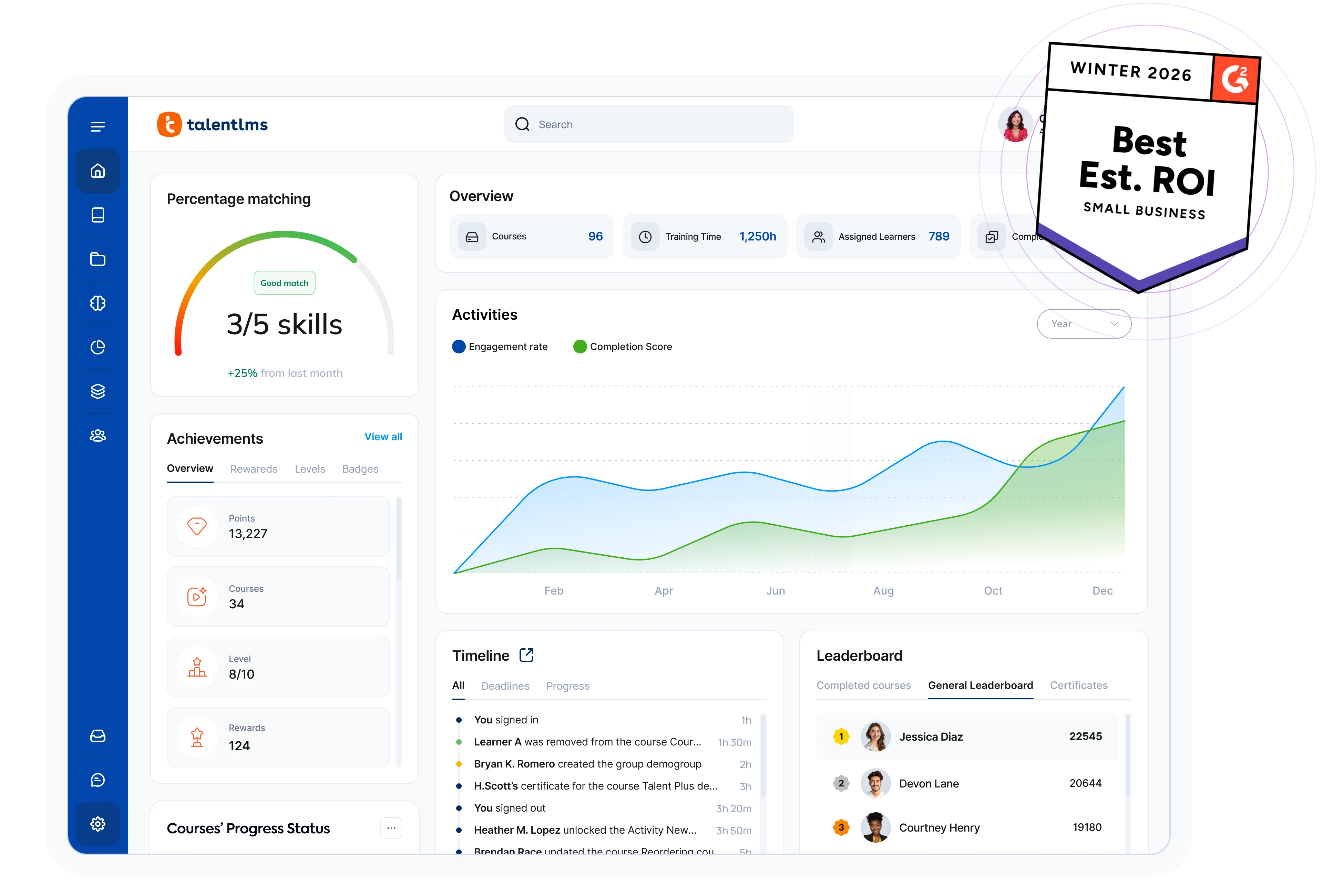
TalentLMS is the platform most often recommended for small and mid-size businesses that need to deploy training quickly without hiring an L&D specialist. Its interface is genuinely intuitive — not "intuitive for an LMS," but actually straightforward — and its pricing is the most transparent in the category.
Key strengths:
- Set up and launch courses in hours, not weeks
- Clean, modern interface that minimizes training-on-the-training-tool
- TalentCraft AI for AI-assisted course creation, translations, and summaries
- SCORM and xAPI support for importing existing e-learning content
- Built-in gamification with points, badges, and leaderboards
- Custom domain with SSL on all paid plans
Pricing: Published, predictable tiers:
| Plan | Monthly | Annual (per month) | Users | Key features |
|---|---|---|---|---|
| Free | $0 | $0 | 5 users, 10 courses | Core LMS features |
| Core | $149/mo | $119/mo | Up to 40 | Unlimited courses, SSO, custom domain |
| Grow | $229/mo | — | Up to 500 | 3 branches, onboarding, custom reports |
| Pro | $449/mo | — | Up to 1,000 | 15 branches, priority support |
| Enterprise | Custom | Custom | 1,000+ | Dedicated account manager |
A 20% discount applies to annual billing. The Flex add-on switches from per-registered-user to per-active-user pricing — valuable if you have many registered learners but low monthly active usage.
Best for: SMBs with 10–500 employees that need to get training running quickly with minimal IT involvement and a predictable budget.
Course creator platforms
For independent instructors and small businesses selling courses directly to learners, the LMS conversation shifts from internal training management to storefronts, payment processing, and marketing.
Thinkific starts at $49/month with unlimited courses, students, and 0% transaction fees from the entry-level plan. Its Start plan at $99/month adds advanced course building tools and community features. Thinkific is the better choice if you want to maximize revenue retention from day one.
Teachable starts lower at $39/month but charges a 7.5% transaction fee on its Starter plan and limits you to a single published product. The Builder plan at $89/month removes transaction fees and expands to 5 products. Teachable may suit creators who want to test with one course before scaling.
Neither platform offers free plans anymore — both require paid subscriptions with free trials available.
For a deeper look at platform-specific strengths for individual learners rather than course creators, see our guides to Coursera and the best online coding courses.
LMS comparison table: key features at a glance
| Platform | Best for | Starting price | AI features | SCORM/xAPI | Free tier |
|---|---|---|---|---|---|
| Docebo | Enterprise (500+) | ~$7-10 PEPM | Content recommendations, auto-tagging | Yes | No |
| Absorb | Compliance-heavy | Custom quote | Intelligent Assist | Yes | No |
| 360Learning | Collaborative L&D | $8/user/mo | Skill mapping | Yes | Free trial |
| Canvas | Higher education | $5-30/student/yr | Gemini AI assistant | Yes (LTI) | Free for Teachers |
| Moodle | Self-hosted control | Free (self-hosted) | Via plugins | Yes | Yes (open source) |
| TalentLMS | SMB quick setup | $119/mo (annual) | TalentCraft AI | Yes | Yes (5 users) |
| Thinkific | Course creators | $49/mo | Limited | Limited | No |
| Teachable | Course creators | $39/mo | Limited | No | No |
How to narrow your shortlist: a decision framework
Rather than comparing 30 features across 8 platforms, use this sequence to eliminate options quickly:
Step 1: Match your use case to a category
- Running internal training for employees? → Enterprise or SMB platforms
- Teaching at a school or university? → Academic platforms
- Selling courses to the public? → Course creator platforms
- Need compliance and audit trails? → Enterprise platforms with compliance focus
This single filter should eliminate at least half the market.
Step 2: Set your budget boundaries
Know your per-learner-per-year budget before you talk to sales. Enterprise platforms (Docebo, Absorb) typically run $80–$120+ per learner per year. SMB platforms (TalentLMS) run $15–$50 per learner per year depending on tier. Open source (Moodle) shifts cost from licensing to infrastructure and admin time.
Step 3: Check integration requirements
List every system your LMS needs to connect with: HRIS (Workday, BambooHR), SSO provider (Okta, Azure AD), video conferencing (Zoom, Teams), and content standards (SCORM, xAPI). Eliminate any platform that does not support your must-have integrations.
Step 4: Run a real trial with real content
Every platform on this list offers either a free tier or a free trial. Do not skip this step. Upload your actual training content, enroll a small pilot group, and evaluate the authoring workflow, learner experience, and reporting. A demo from the sales team is not a substitute for hands-on testing.
If you are still weighing whether you need an LMS at all versus simply purchasing courses from existing platforms, our online course buying guide covers what to evaluate before committing.
Common mistakes that lead to LMS regret
Buying enterprise when you need SMB. A 50-person company does not need multi-tenant architecture, AI-driven skill mapping, or a dedicated customer success manager. TalentLMS or even Moodle Cloud will serve you better at a fraction of the cost.
Ignoring total cost of ownership. Moodle is "free" — but hosting, plugin licensing, security patching, and the DevOps time to manage it all adds up. Compare the all-in annual cost, not just the sticker price.
Choosing based on feature count rather than feature fit. An LMS with 500 features is worthless if the 5 features you actually need are poorly implemented. Prioritize depth in your critical workflows over breadth across features you will never touch.
Skipping the content migration test. If you have existing SCORM packages, test importing them during your trial. SCORM "support" varies widely in practice — some platforms handle complex SCORM 2004 content better than others.
Locking into a long contract without a pilot. Many enterprise vendors push for 2-3 year contracts with steep early-termination penalties. Negotiate a pilot period or a shorter initial term. If the vendor won't accommodate, that tells you something.
The LMS landscape is shifting — here is what to watch
AI is becoming a real differentiator, not just a marketing bullet point. Docebo's content recommendations, Absorb's Intelligent Assist, and Canvas's Gemini integration represent genuinely useful applications of AI in learning. Expect every major platform to ship AI features in 2026, but evaluate them on actual utility — does the AI save your admins measurable time?
Collaborative authoring is gaining ground. 360Learning's model of empowering subject-matter experts to create content is influencing the broader market. Organizations are realizing that waiting for the L&D team to produce every course creates a bottleneck that AI alone cannot solve.
Per-active-user pricing is becoming standard. TalentLMS's Flex add-on reflects a broader shift away from per-registered-user models. If your learners log in seasonally rather than daily, this pricing model can cut costs significantly.
For ongoing coverage of deals and pricing changes across course platforms, see our seasonal course deals guide.
Bottom line
The right LMS is the one that matches your use case, budget, and technical capacity — not the one with the longest feature list or the most aggressive sales team. Start by identifying your category, set a realistic budget that includes implementation and ongoing costs, then run a real trial with your own content before signing anything.
For most small businesses, TalentLMS offers the best balance of capability, ease of use, and transparent pricing. For enterprises needing AI-powered learning at scale, Docebo leads the field. For educational institutions, Canvas is the proven standard. And for budget-conscious organizations with technical staff, Moodle offers unmatched flexibility at no licensing cost.